アプリケーションの説明
Here's a professional and user-friendly summary of your GPS Tracking App, optimized for documentation, onboarding, or marketing materials—such as an app description, user manual, or internal knowledge base. This version is clear, structured, and highlights key features and updates:
📱 GPS Fleet Tracker App – Version 1.7.6 (Latest Update: November 9, 2024)
Stay connected, informed, and efficient on the road with our comprehensive GPS Tracking App—designed specifically for drivers and fleet operations. Seamlessly integrate real-time location tracking, maintenance reporting, and trip management to keep your workflow transparent and your data accurate.
🔍 Key Features at a Glance
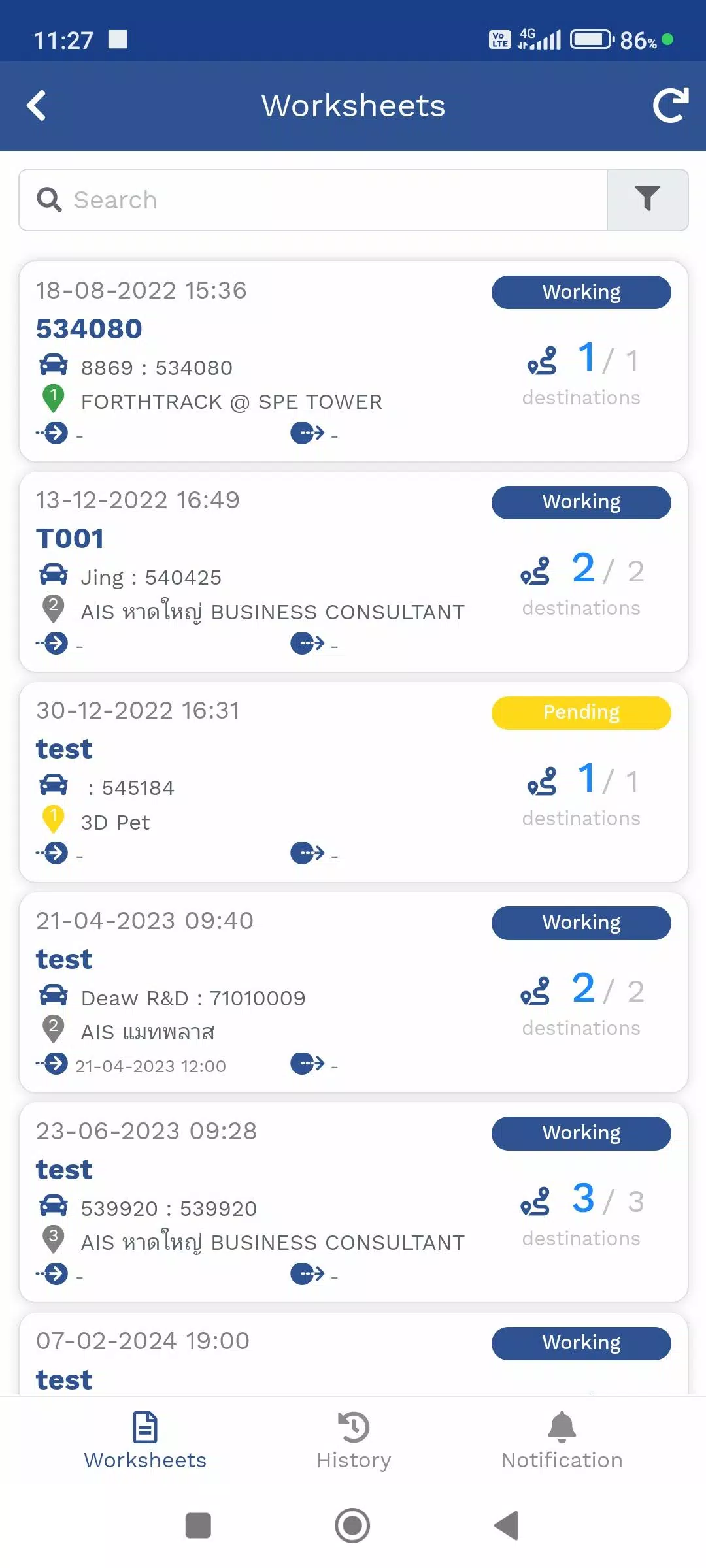
1. Travel Itinerary Management (TMS)
Plan, track, and update delivery schedules in real time.
- View your current location via GPS or Mobile Tracker.
- Access assigned delivery routes and destinations.
- Update and share live delivery status (e.g., "En Route," "Delivered," "Delayed").
- Syncs automatically with the company’s Web Console for centralized monitoring.
✅ Ideal for logistics, courier, and delivery teams.
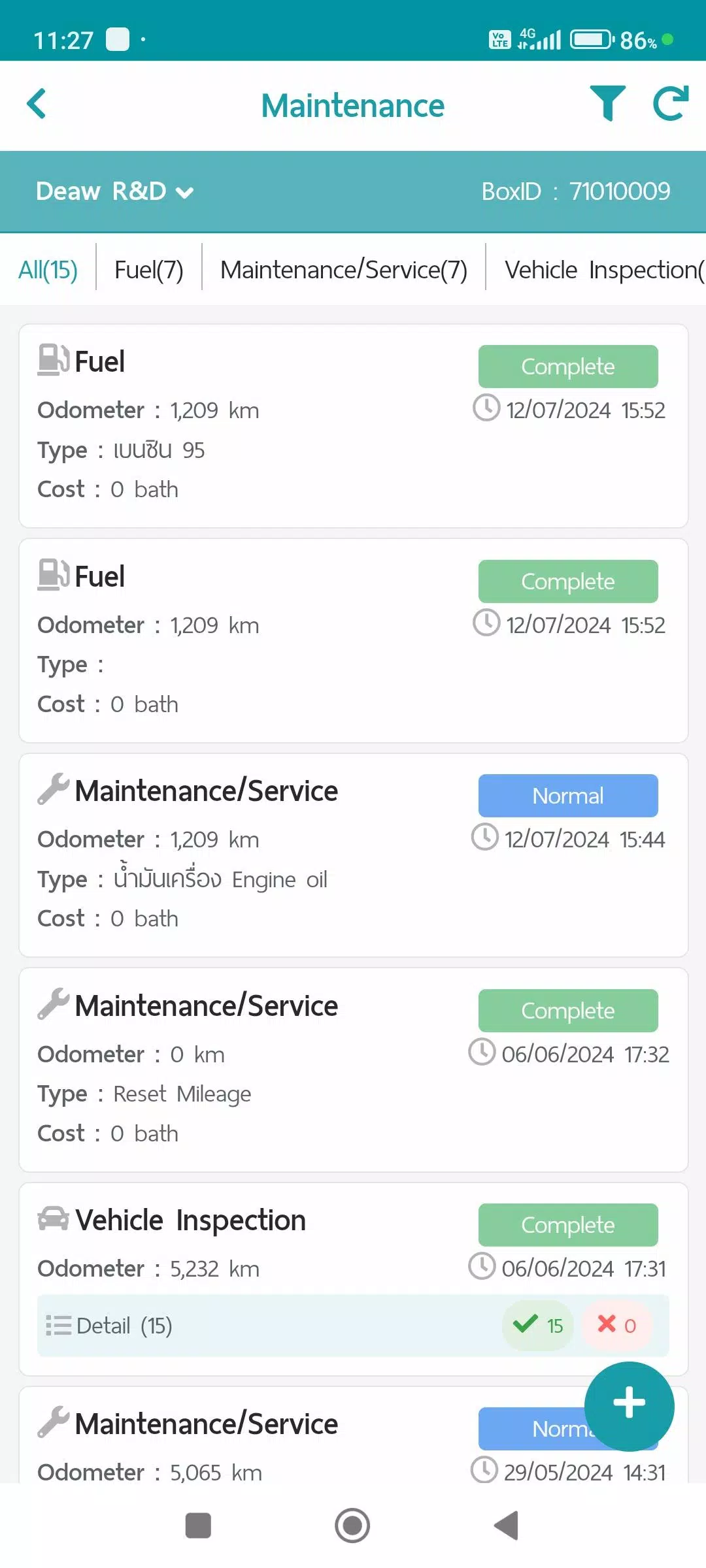
2. Maintenance Dashboard
Track vehicle health and compliance with detailed logs.
Record and report on:
- 🔹 Refueling – Fuel logs with timestamps and fuel levels
- 🔹 Maintenance/Service – Scheduled and unscheduled service entries
- 🔹 Vehicle Condition Checks – Pre- and post-trip inspection reports
- 🔹 Repair Items – Document repairs, parts used, and technician notes
📊 All data is uploaded to the Web Console for automated report generation and compliance auditing.
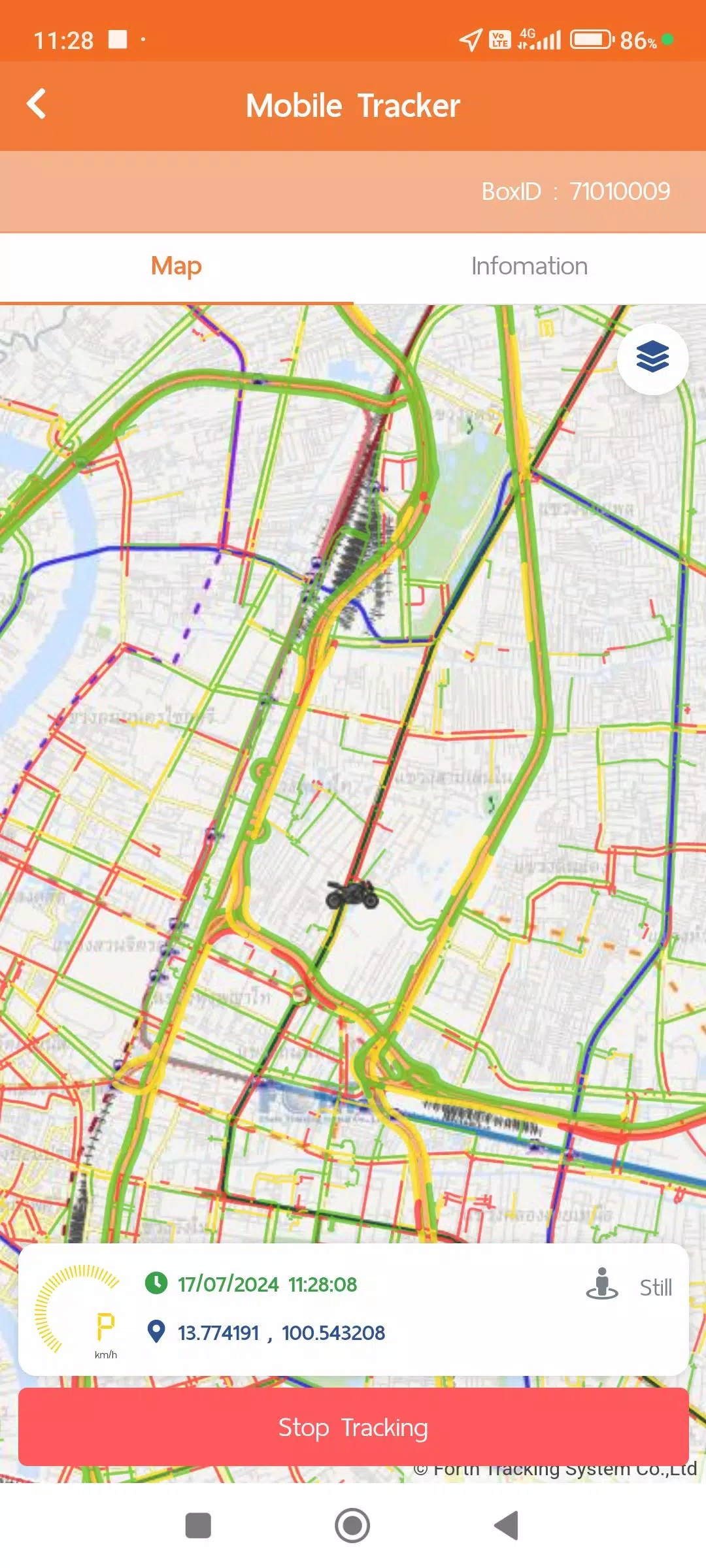
3. Mobile Tracker (App-Based GPS)
Use your smartphone as a GPS tracking device—no hardware required.
- Automatically sends GPS location data while driving or working.
- Always-on location access (background mode) ensures continuous tracking without needing to open the app.
- Smart battery optimization via Activity Recognition:
- 🟢 Still Mode: GPS update every 1 minute (activates after 5+ minutes idle).
- 🟡 Working (Walking): Updates every 1 minute when walking detected.
- 🔴 In Vehicle: Updates every second (high accuracy), with standard 1-minute transmission interval.
⚙️ Power Save Mode activates automatically during inactivity and resumes when movement is detected.
📱 Integrates with TMS, Vehicle Tracking, and Web Console for full visibility.
4. Vehicle Tracking (Live + Historical Data)
Monitor and analyze vehicle performance and driver activity.
Live view includes:
- Real-time location and speed
- Work status (e.g., Driving, Idle, Delivered)
- Vehicle route history
Historical data available in multiple formats:
- 📋 Device information (VIN, model, last connected)
- 🛎️ Notification settings and alerts
- 📅 Daily travel summaries (distance, duration, stops)
- 🕒 Custom interval GPS movement logs (e.g., every 5 mins)
- 📡 Additional telemetry (if supported): MDVR (Mobile DVR), TPMS (Tire Pressure), etc.
🔍 Use the Web Console to generate detailed analytics, export reports, or troubleshoot routes.
🛡️ Privacy & Compliance
Your data matters. We follow strict standards to ensure privacy and security:
- 📄 Terms of Use
- 🔐 Privacy Policy
- 🍪 Cookie Policy
Access these anytime via the User Account Menu.
🔄 What’s New in Version 1.7.6 (Nov 9, 2024)
- ✅ Improved system performance: Faster loading, smoother navigation, and reduced battery drain.
- ✅ Enhanced GPS accuracy and stability in low-signal areas.
- ✅ Optimized background tracking to extend battery life without sacrificing data quality.
- ✅ Bug fixes and UI refinements for better usability.
📲 Update now to experience a smarter, more reliable tracking experience.
📞 Need Help?
Contact your fleet manager or visit the company’s support portal for assistance.
Stay Mobile. Stay On Track. Stay Compliant.
Powered by Smart Fleet Solutions — Version 1.7.6 | Last Updated: November 9, 2024
Let me know if you'd like this adapted into a PDF user guide, app store description, onboarding email, or internal training deck!
自動車と車両


 ダウンロード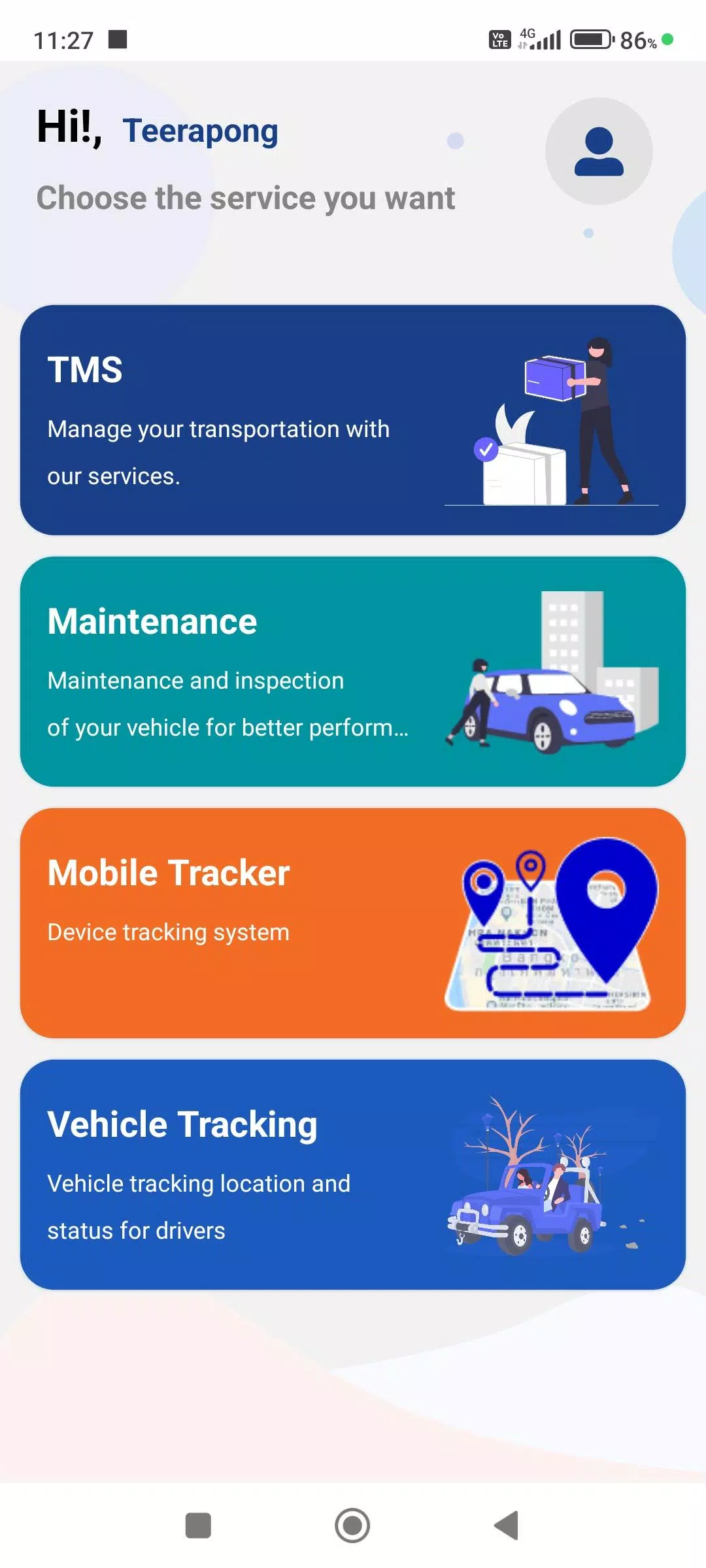
 FTS Driver App のようなアプリ