Anwendungsbeschreibung
Here's a professional and user-friendly summary of your GPS Tracking App, optimized for documentation, onboarding, or marketing purposes — suitable for internal teams, drivers, or external stakeholders:
🚚 DriverTrack Pro – GPS Monitoring & Work Status App (v1.7.6)
Stay Connected. Stay On Track. Deliver with Confidence.
Welcome to DriverTrack Pro, the smart mobile solution designed for drivers to seamlessly monitor and share real-time work data with your company’s centralized Web Console. Whether you're delivering goods, maintaining your vehicle, or on the move, this app ensures accurate, up-to-date, and actionable insights — all from your smartphone.
✅ Latest Update: Version 1.7.6 | Released: November 9, 2024
🔧 Performance Optimized • Faster Data Sync • Enhanced Battery Efficiency
📌 Key Features at a Glance
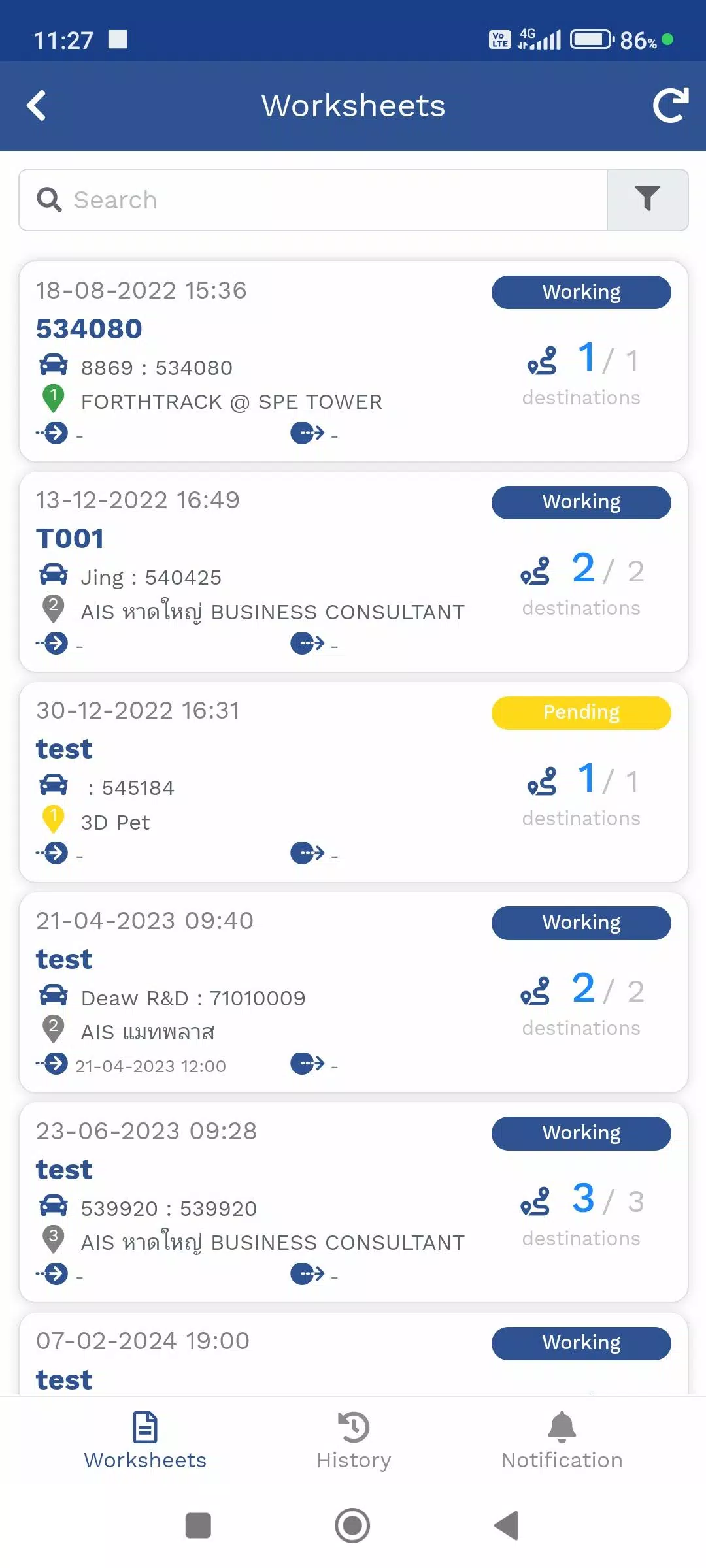
1. Travel Itinerary Management (TMS)
Plan, track, and confirm deliveries with precision.
- View assigned delivery routes and destinations
- See real-time location via GPS or Mobile Tracker
- Update and verify delivery status (e.g., "In Progress", "Completed", "Delayed")
- Syncs automatically with the company’s Web Console for full visibility
Perfect for drivers managing multiple stops across daily routes.
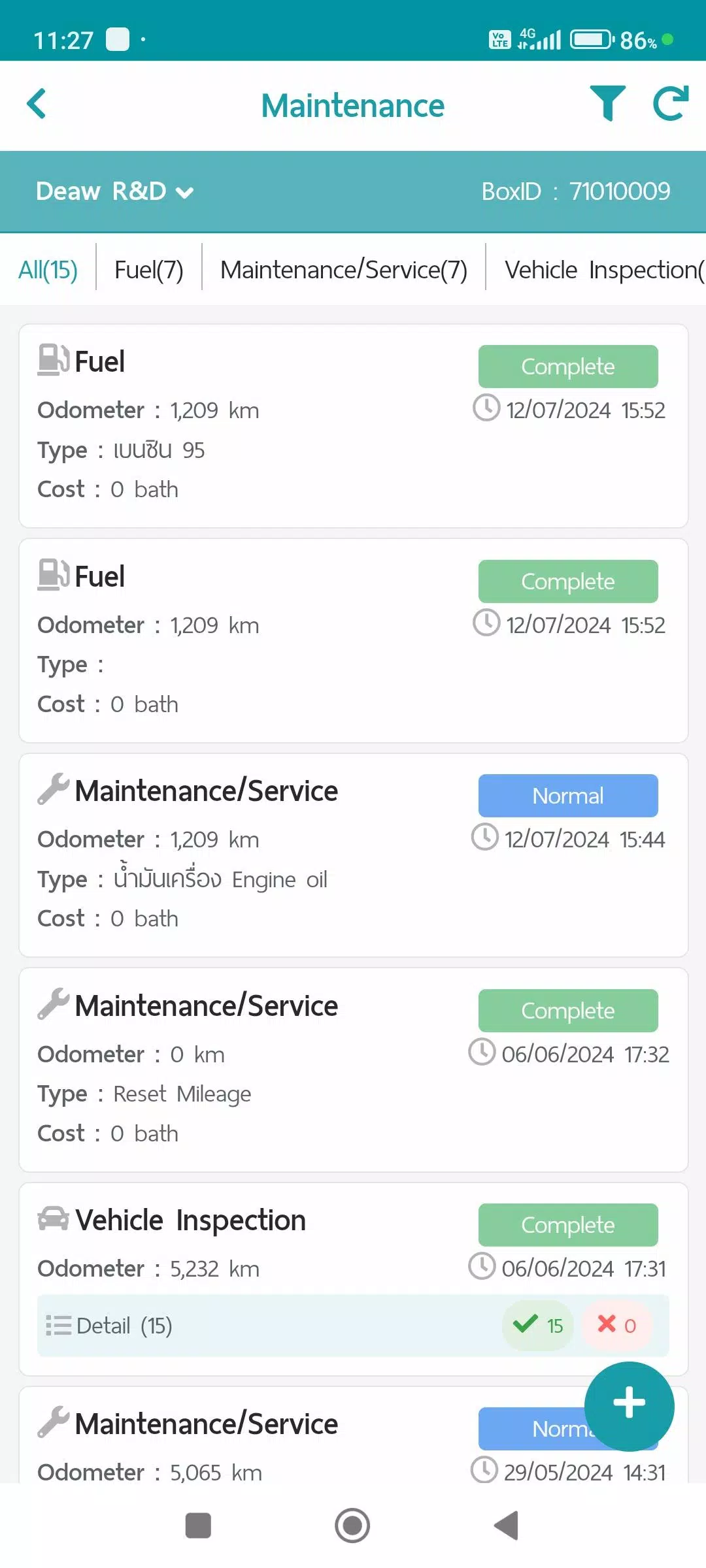
2. Maintenance Log
Keep vehicle records accurate, organized, and report-ready.
Log and track:
- 🛢️ Refueling – Date, location, fuel amount, cost
- 🛠️ Service & Maintenance – Oil changes, tire rotations, repairs
- 🚗 Vehicle Condition Checks – Pre/Post-trip inspections
- 🔧 Repair Items – Report issues with photos and notes
All data is securely stored and available in automated reports via the Web Console.
✅ Helps prevent downtime and supports compliance audits.
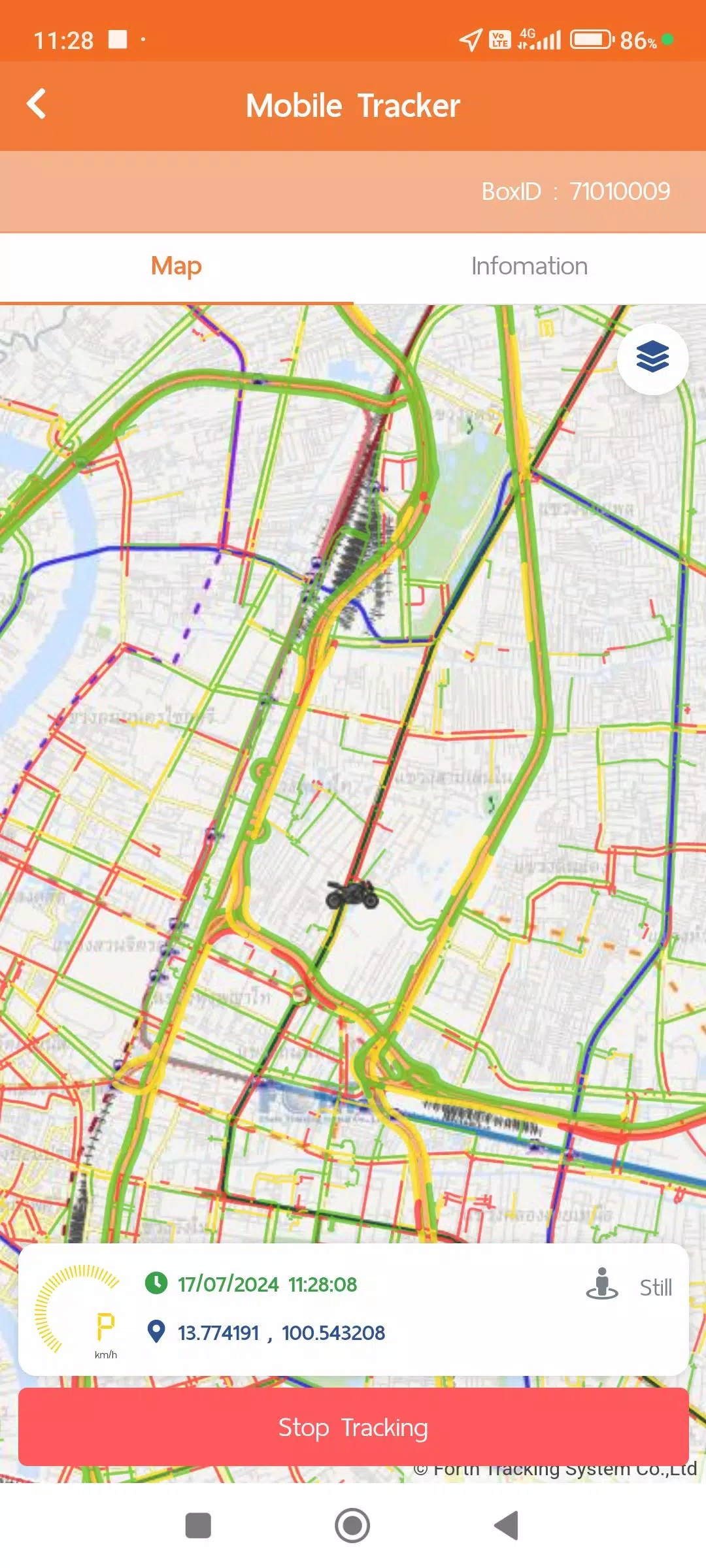
3. Mobile Tracker (GPS via Smartphone)
No physical GPS device? No problem.
Use your phone as a reliable tracker — ideal for flexible or backup operations.
How It Works:
- Automatically transmits GPS location in real time
- Data stored securely and synced to the Web Console
- Can be paused manually when not in use (e.g., breaks, off-duty)
Smart Power Optimization (via Activity Recognition):
The app intelligently adjusts tracking frequency based on your current activity:
| Activity |
Tracking Frequency |
Power Mode |
| Still (Idle) |
Every 1 min (100% accuracy) |
→ Power Save Mode (after 5+ mins idle) |
| Walking / Working |
Every 1 min |
Active Mode |
| In Vehicle |
Every 1 sec (real-time), with 1-min standard update |
High-Accuracy Mode |
🔒 Always-on location permission required for background tracking.
🔄 Activity Recognition permission enables smart battery-saving features.
4. Vehicle Tracking Dashboard
Real-time visibility into your journey and vehicle performance.
View live and historical data:
- 📍 Live vehicle location on map
- 📊 Daily travel summaries (distance, duration, stops)
- 📈 GPS movement logs (custom time intervals)
- 📄 Device info & status (battery, signal, last sync)
- 🔄 Integrated with MDVR, TPMS, and other onboard sensors (if equipped)
📋 Reports available in PDF, CSV, and dashboard views — accessible anytime through the Web Console.
🛡️ Privacy & Compliance
Your data matters. We protect it.
Review our full policies in the User Account Menu:
All data transmission is encrypted. You retain control over what’s shared.
✨ What’s New in v1.7.6 (Nov 9, 2024)
- ⚙️ Improved system performance – Faster loading and smoother navigation
- 🔋 Enhanced battery optimization – Better balance between accuracy and efficiency
- 📱 Stability fixes – Reduced crashes during long drives
- 💡 Minor UI improvements – Easier access to key menus
✅ Ensure you’re running v1.7.6 or later for best experience.
📲 How to Get Started
- Download DriverTrack Pro from your app store
- Log in using your company credentials
- Enable required permissions:
- Location (Always)
- Activity Recognition
- Begin using TMS, Mobile Tracker, Maintenance, and Vehicle Tracking
📞 Need help? Contact your fleet manager or support team via the app’s Help & Support section.
📣 Final Note
DriverTrack Pro isn’t just a tracking tool — it’s your digital partner in efficiency, safety, and accountability.
By keeping your company informed in real time, you help improve dispatch accuracy, reduce delays, and contribute to a safer, smarter fleet.
Drive Smart. Report Accurate. Deliver On Time.
📞 Support: [email protected]
🌐 Web Console Access: https://web.drivertrackpro.com
© 2024 DriverTrack Pro – All rights reserved.
Let me know if you'd like this formatted as a PDF guide, app description for Google Play/App Store, or a driver onboarding video script!
Auto & Fahrzeuge


 Herunterladen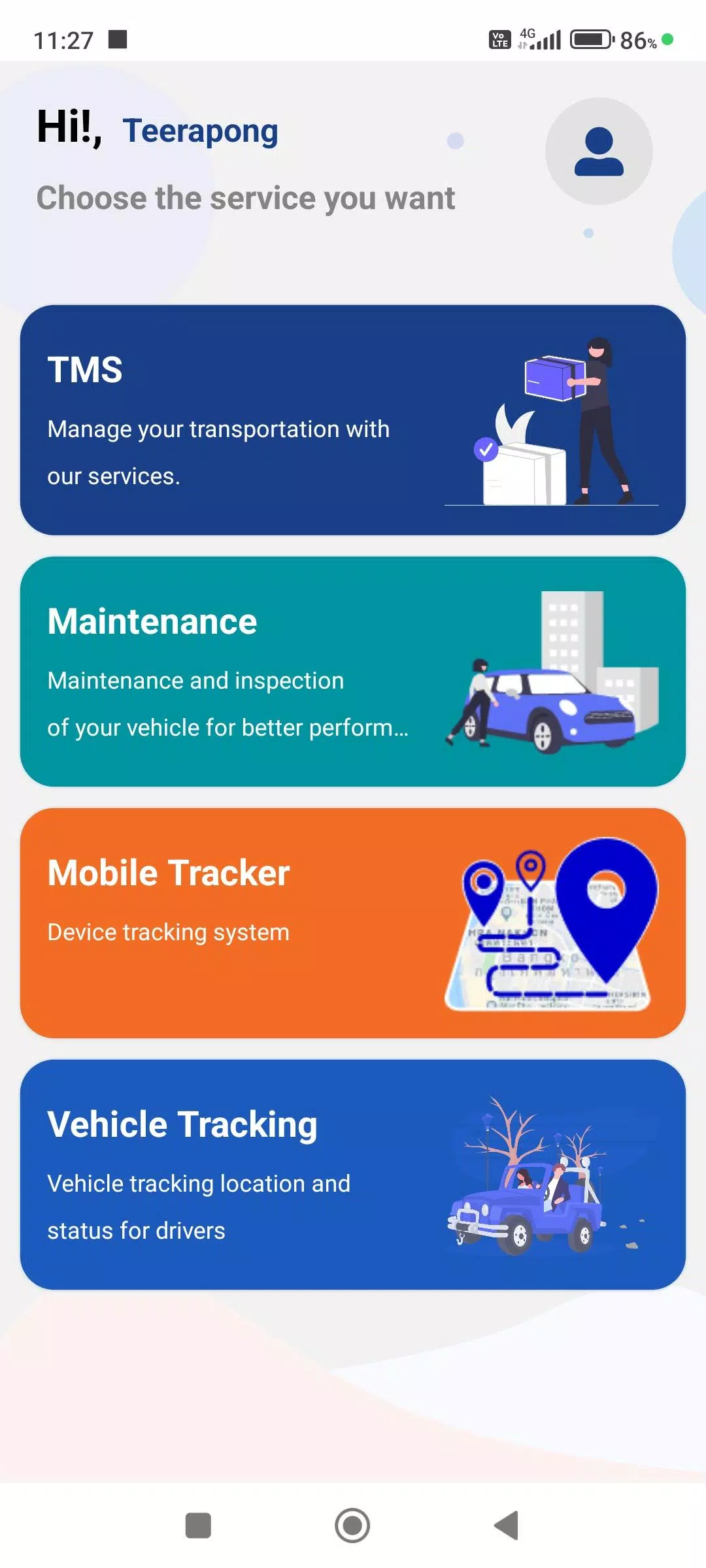
 Apps wie FTS Driver App