Description de l'application
Here's a professionally polished and structured overview of your GPS Tracking App, suitable for user documentation, marketing materials, or internal onboarding:
GPS Fleet & Driver Monitoring App – Version 1.7.6
Last Updated: November 9, 2024
Stay connected, informed, and efficient with our comprehensive GPS tracking solution designed for drivers and fleet operations. This app enables real-time monitoring of vehicle locations, travel plans, maintenance activities, and driver behavior — all seamlessly integrated with your company’s Web Console for centralized oversight and reporting.
🔧 Key Features
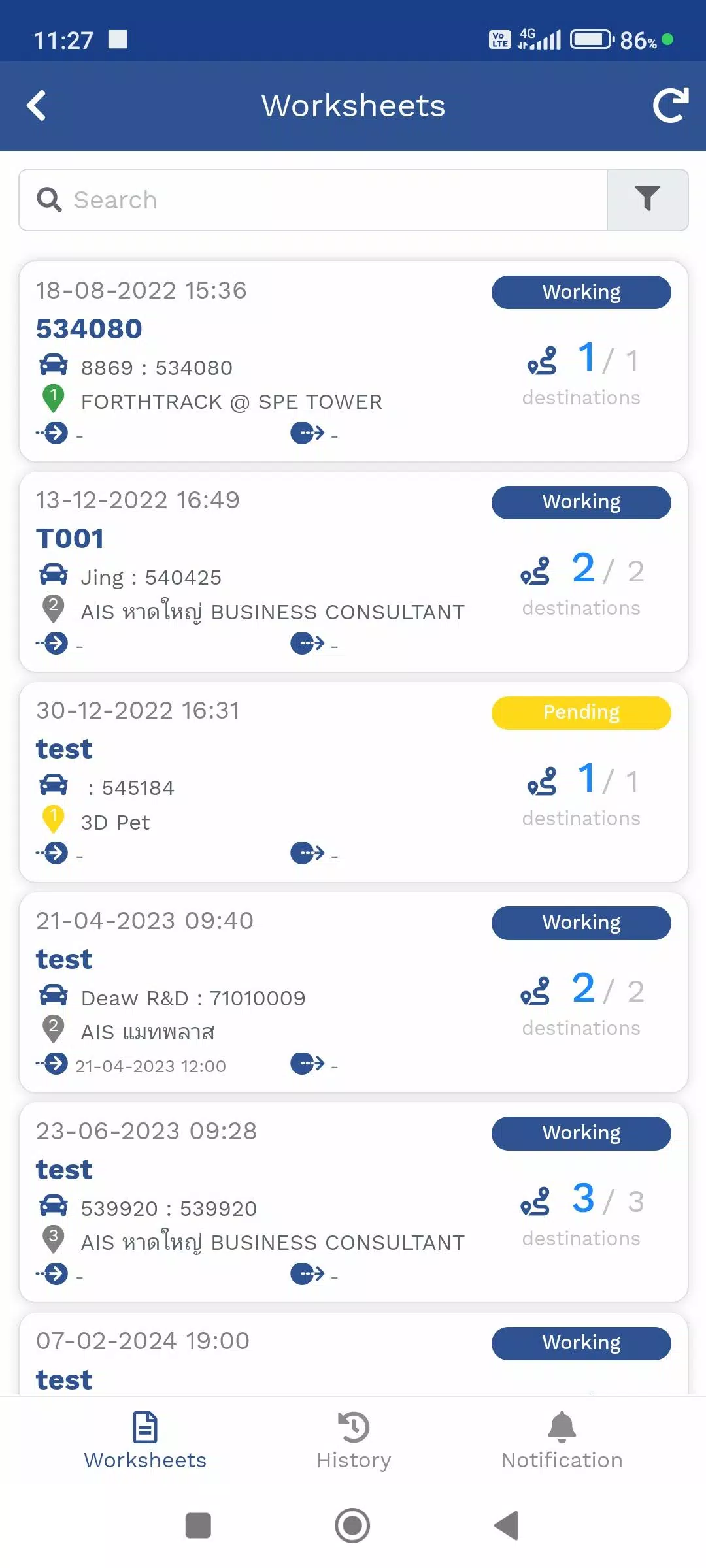
1. Travel Itinerary Management (TMS)
Plan and track your deliveries with precision.
- View assigned delivery routes and current location via GPS or Mobile Tracker.
- Access real-time status updates on delivery progress (e.g., "En Route", "Completed", "Delayed").
- Receive automatic alerts for route deviations or missed stops.
- Syncs with Web Console for instant visibility into delivery performance.
✅ Ideal for logistics, distribution, and field service teams.
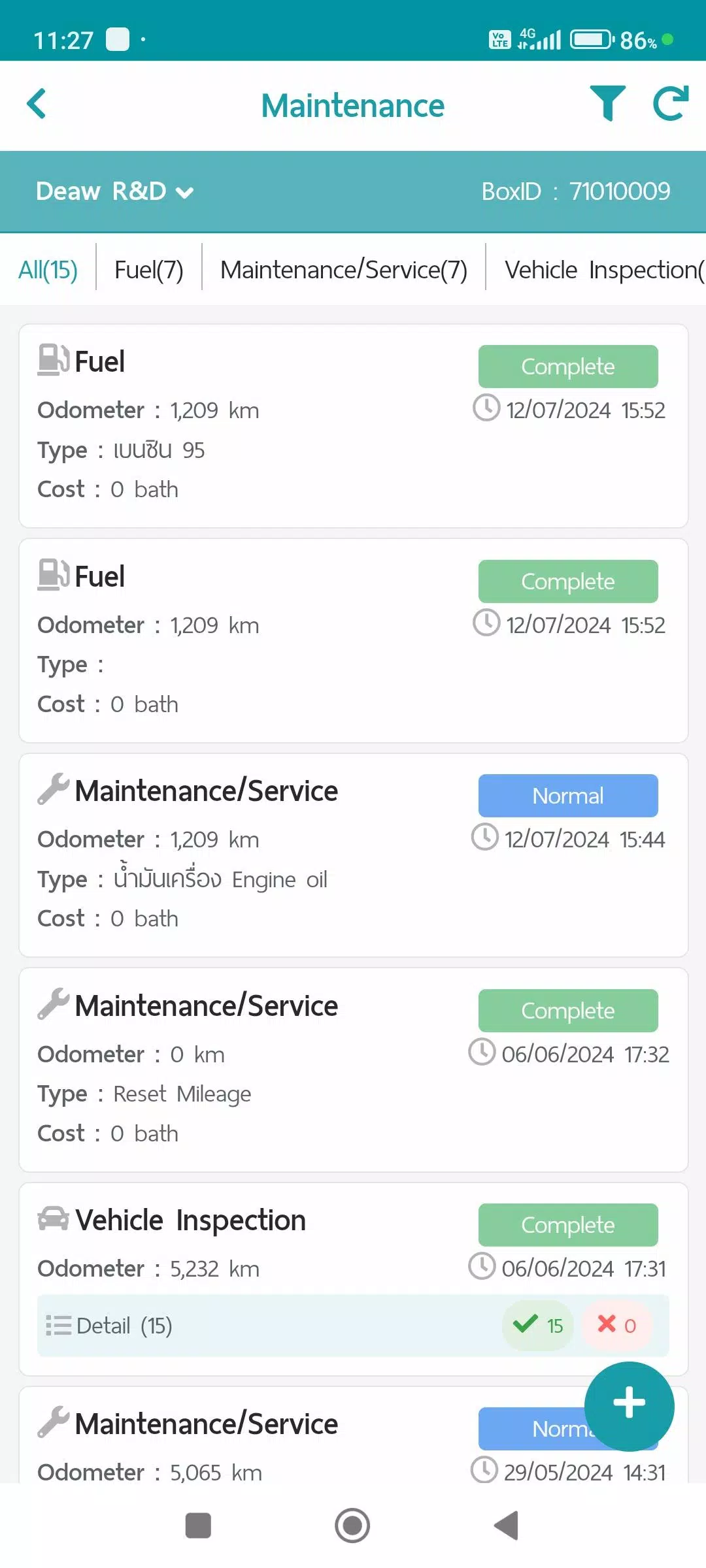
2. Maintenance Tracker
Keep vehicles in peak condition with automated maintenance logging.
Log and manage key vehicle activities under these categories:
- Refueling: Record fuel dates, amounts, and locations.
- Maintenance/Service: Schedule and document routine service (oil changes, tire rotations, etc.).
- Vehicle Condition Checks: Perform daily inspections with photo and notes.
- Repair Items: Report and track repair requests with status updates.
📊 All data is securely stored and generates detailed reports accessible via the Web Console.
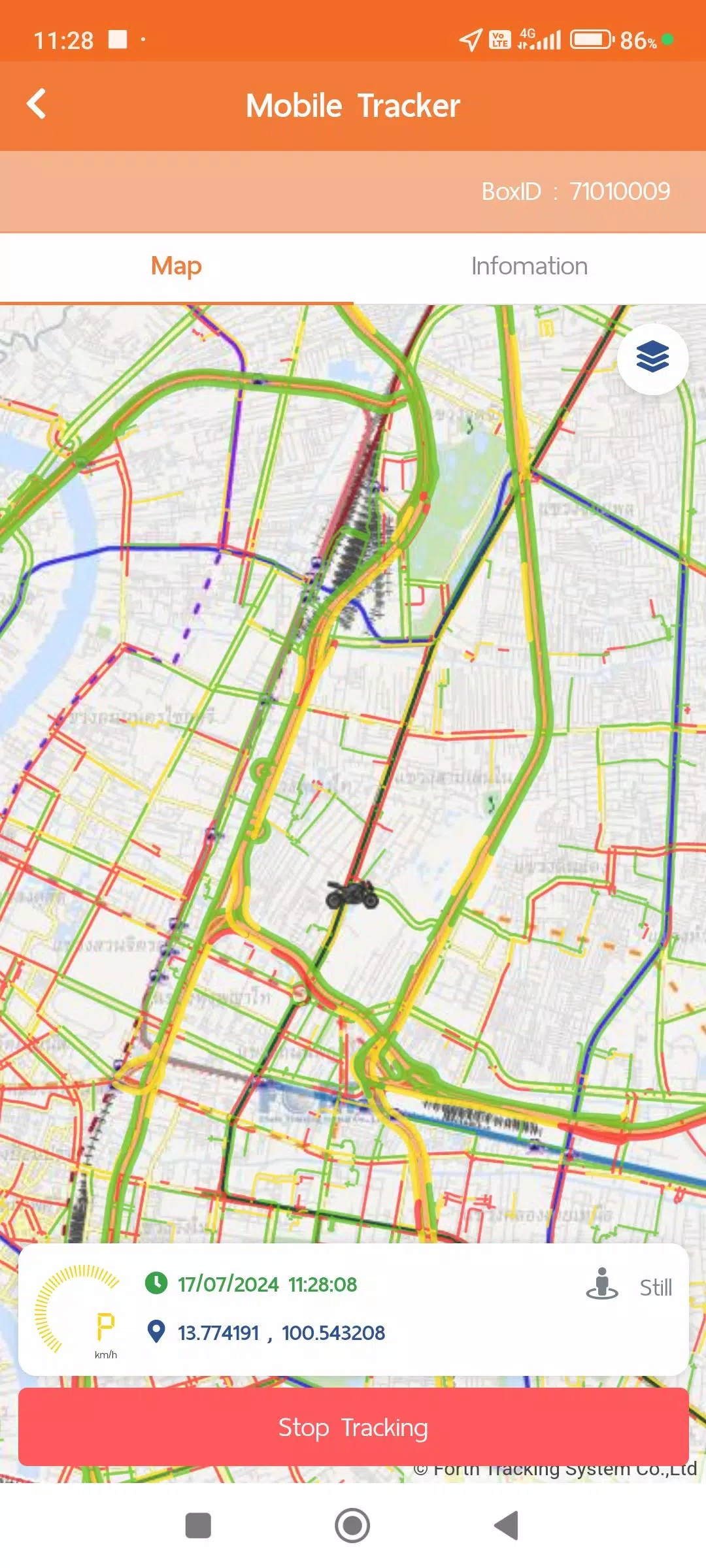
3. Mobile Tracker (App-Based GPS)
Track your location using your mobile device — no physical GPS hardware needed.
- Live Location Tracking: Transmits GPS coordinates in real time when active.
- Flexible Operation: Start, pause, or resume tracking from within the app.
- Smart Battery Optimization via Activity Recognition:
- Still Mode: Updates every 1 minute (Power Save mode activates after 5+ minutes idle).
- Working (Walking): Updates every 1 minute when walking is detected.
- In Vehicle: Sends location every second for accuracy; standard update every 1 minute.
- Seamless Integration: Works with TMS, Vehicle Tracking, and Maintenance menus.
- Data Export: View and share summarized reports (daily logs, movement patterns, etc.) via the Web Console.
🔒 Permissions Required:
- Always Allow Location Access – Ensures background tracking without opening the app.
- Activity Recognition (ACTIVITY RECOGNITION) – Helps optimize battery life and improve tracking accuracy.
💡 No need to keep the app open — location data continues to transmit automatically based on detected activity.
4. Vehicle Tracking
Real-time and historical vehicle monitoring.
- Live view of vehicle location and status (moving, stopped, idle).
- Access to historical data including:
- Device information (ID, type, last connected)
- Custom-interval GPS movement logs
- Daily travel summaries (distance, duration, stops)
- Telematics data (if equipped):
- MDVR (Mobile Digital Video Recorder) – Video event logs
- TPMS (Tire Pressure Monitoring System) – Alert history and pressure readings
📊 Reports can be filtered by date range, vehicle, driver, or event type — perfect for audits, compliance, and performance analysis.
📄 Compliance & Privacy
We prioritize your data security and transparency.
Review our policies through the User Account Menu:
Your location and operational data are encrypted and used solely for fleet management and reporting purposes.
✨ What’s New in Version 1.7.6 (Nov 9, 2024)
- Enhanced System Performance: Faster load times, smoother navigation, and improved background stability.
- Optimized Battery Usage: Smarter GPS polling based on driver activity.
- Bug Fixes & Stability Improvements: Resolved sync issues and minor UI glitches.
- Improved Web Console Sync: Real-time data transmission now more reliable across devices.
📱 Get Started
- Download the app from your device’s app store.
- Log in with your company credentials.
- Enable required permissions (location, activity recognition).
- Begin using TMS, Mobile Tracker, Maintenance, and Vehicle Tracking features.
🛠 Support
Need help? Contact your fleet administrator or visit our Support Portal.
Stay Mobile. Stay Connected. Stay Efficient.
Powered by Smart Fleet Intelligence – Version 1.7.6
Let me know if you'd like:
- A version for the App Store/Google Play description
- A PDF user manual
- An onboarding tutorial script
- Web Console integration notes
I’d be happy to help!
Auto et véhicules


 Télécharger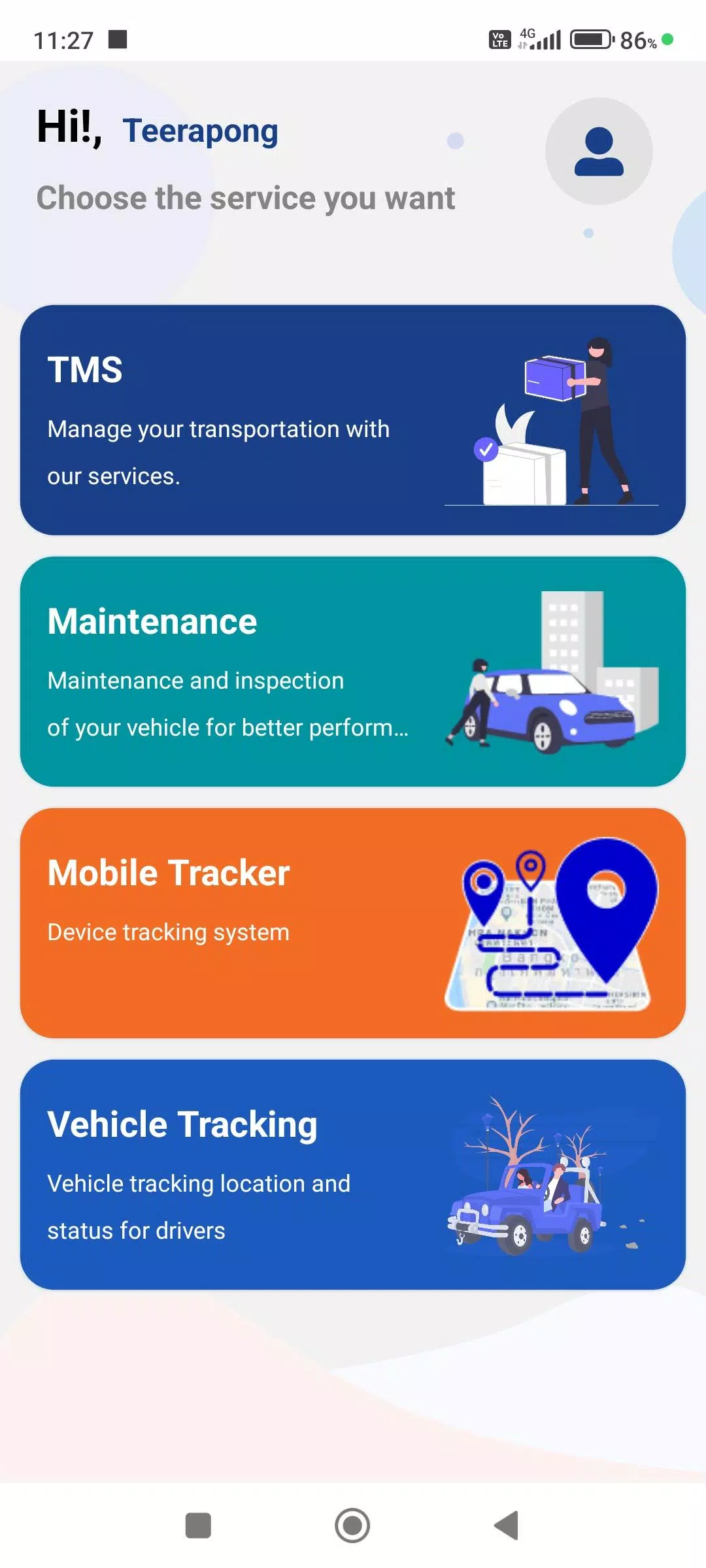
 Applications semblables à FTS Driver App