Rockstar Games unveiled the second trailer for Grand Theft Auto VI, captured entirely on a PlayStation 5, fueling excitement and debate among fans. Dive into the details of the trailer's presentation
Author: ZacharyReading:1

If you're diving into *Hyper Light Breaker*, a game where reaction speed and timing are crucial, adjusting the sensitivity to fit your playstyle can make a huge difference. However, you might be surprised to learn that currently, there's no built-in way to change the sensitivity in the game. This is quite unusual, especially for a title heading into Early Access, but don't worry—Heart Machine, the developers behind *Hyper Light Breaker*, are on the case. They've shared updates on Bluesky about working on fixes for this issue, along with other performance and accessibility enhancements. This is great news, and it's probably best to wait for these updates to roll out in the coming weeks. The game is still shaping up, and these tweaks will likely enhance your overall experience.
 If you can't wait and want to play *Hyper Light Breaker* with adjusted sensitivity, there are a few workarounds you can try. For those using a mouse and keyboard, the simplest solution is to increase your mouse's DPI, either through hardware settings or software adjustments. This will effectively boost your sensitivity, though remember it will affect your mouse's performance across your entire system, making it quite zippy.
If you're playing with a controller and using DS4 software, you can tweak the joystick sensitivity directly within the software. This adjustment will carry over to the game, allowing you to customize your controls. Additionally, you can set your right joystick to function as a mouse joystick and then adjust its sensitivity accordingly.
For the more tech-savvy players, there's a method shared on the Steam forums by a user named ErkBirk. This involves editing game files through the Windows Run Command. It's a bit more involved, so we recommend following the detailed instructions in the linked community post if you decide to go this route. However, given the complexity, waiting for the official update might be the safer and easier choice.
And that's how you can approach changing sensitivity in *Hyper Light Breaker*. Keep an eye out for those upcoming updates from Heart Machine!
*Hyper Light Breaker is available now.*
 LATEST ARTICLES
 14
2025-12

Rockstar Games unveiled the second trailer for Grand Theft Auto VI, captured entirely on a PlayStation 5, fueling excitement and debate among fans. Dive into the details of the trailer's presentation
Author: ZacharyReading:1
13
2025-12
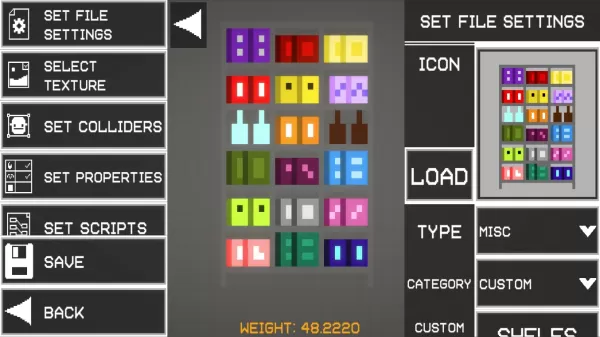
Melon Sandbox is a physics-driven sandbox simulation where you can freely experiment, build imaginative devices, and orchestrate dynamic destruction scenarios. Instead of following set goals, you're encouraged to play with a variety of tools, items,
Author: ZacharyReading:1
12
2025-12

Three new Pokémon are joining the Pokémon Unite roster.Empoleon arrives on September 19th, followed by Dhelmise and Vaporeon.Groudon will also appear in the Theia Sky Ruins starting September 4th.Whoever first imagined Pokémon as a MOBA must be a kin
Author: ZacharyReading:2
12
2025-12

The beta testing phase has concluded, marking the arrival of Marvel Rivals' inaugural season. This major update introduces fresh content and gameplay refinements. Here's an in-depth look at all notable changes.What's New in Season One?Season Theme: A
Author: ZacharyReading:6