Marvel Rivals has launched with an impressive roster of playable characters and a wide array of cosmetics for players to unlock. With over 30 characters spanning three unique roles, gamers can select their favorites for each match, and every character boasts a collection of skins that expands with each new Competitive Season.
In Marvel Rivals, players can unlock character skins through various methods, such as progressing through free or premium Battle Pass tiers, completing challenges or limited-time events, purchasing them in the in-game store using digital or real currency, or earning them via Twitch Drops. For Season 1 - Eternal Night Falls, a fresh set of Twitch Drops featuring Hela is now available, including a free Galacta-themed cosmetic. Details on watch times and steps to claim these rewards are outlined below.
How to Claim the Free Will of Galacta Hela Skin in Marvel Rivals
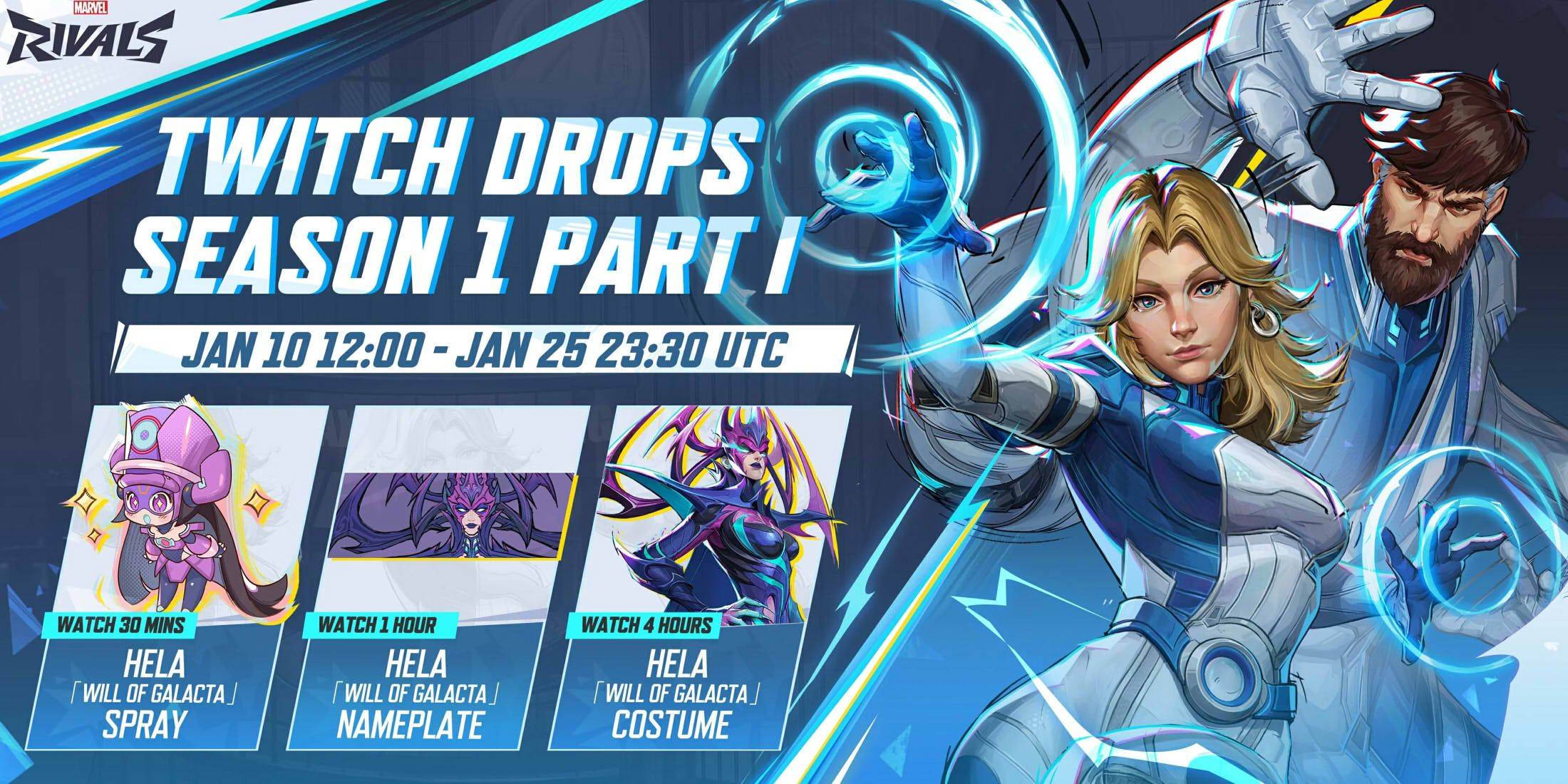
The Will of Galacta skin for Hela is part of the Season 1 - Eternal Night Falls Twitch Drops, available from January 10 to January 25 at 11:30 PM UTC. To earn these drops, players must link their Marvel Rivals account to Twitch and watch streams of Marvel Rivals gameplay by streamers with drops enabled, typically marked with [DROPS] in the stream title.
After earning Twitch Drops, visit the drops section of your Twitch profile and click the claim button for each reward. You’ll receive in-game mail in Marvel Rivals for each claimed item, with a button to redeem the corresponding reward in the game.
Marvel Rivals Season 1 Twitch Drops
- Watch for 30 minutes: Will of Galacta Spray
- Watch for 1 hour: Will of Galacta Hela Nameplate
- Watch for 4 hours: Will of Galacta Hela Skin
How to Connect Your Twitch and Marvel Rivals Accounts
- Go to the Marvel Rivals website.
- Click the login button in the top right corner.
- Sign in based on your gaming platform, such as Steam or PlayStation.
- Once logged in, access your profile and select Connections.
- Choose Twitch and follow the on-screen instructions to link your accounts.

 LATEST ARTICLES