應用說明
The perfect tool for measuring eyebrow design symmetry.
Designed specifically for microblading and micropigmentation artists.
This application is incredibly simple to use, requiring just 6 straightforward steps:
Step 1: Launch the application.
To open the app, simply tap the BeautyPro Symmetry App International icon on your device's screen.
Step 2: Align the client's face on screen.
First, hold your phone horizontally and frame the face using the two horizontal lines positioned at the eyebrow arches (point 2), while aligning the central vertical line with the previously marked center of the nose bridge.
Step 3: Capture the image.
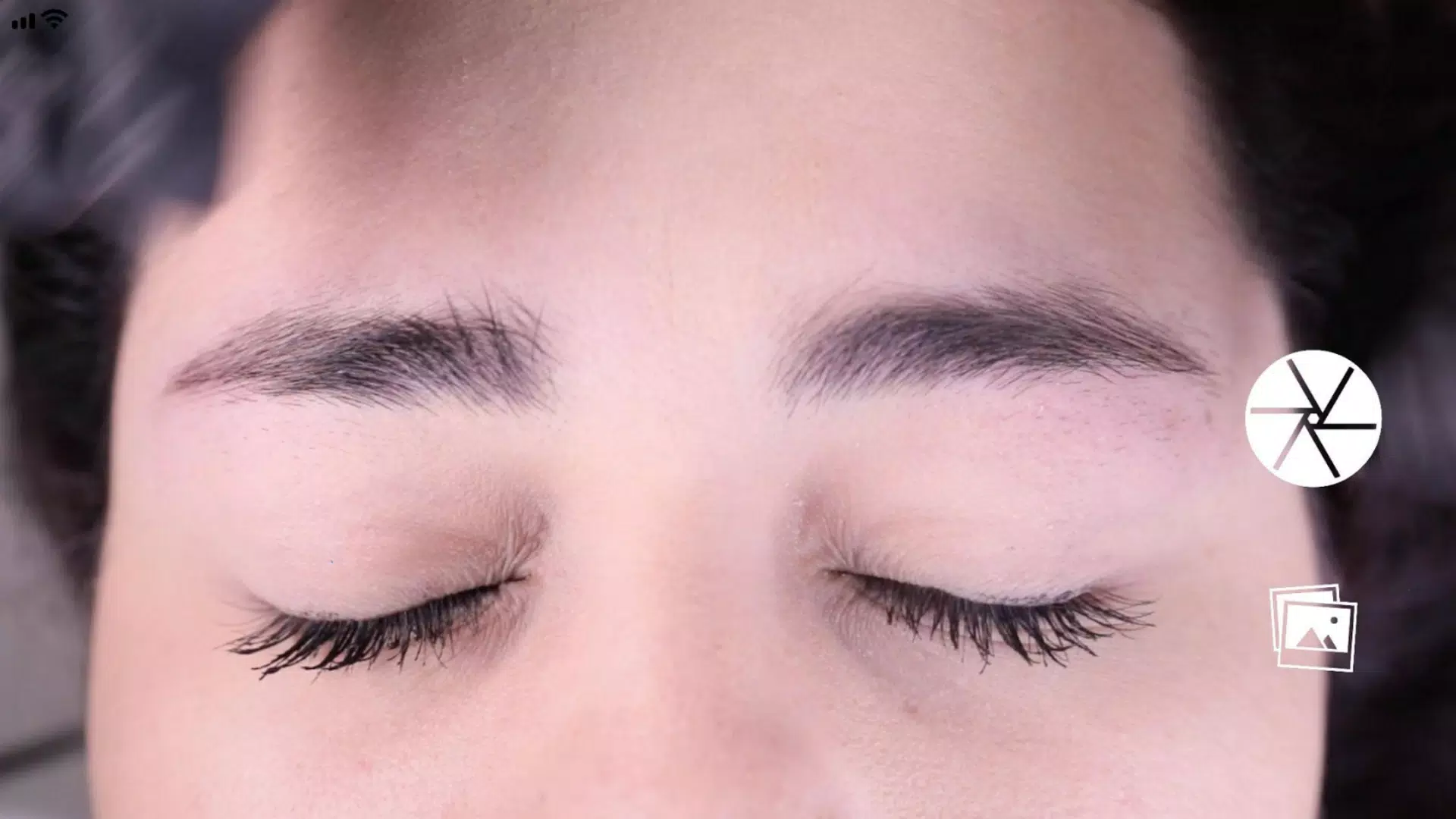
Once the face is properly centered as described in Step 2, take the picture using the button located at the center-right of the screen.
Step 4: Activate the "Grid" function.
Immediately after capturing the image, you'll see the photo with four black horizontal lines and one white line. These lines can be adjusted and locked by activating the "Grid" function via its corresponding button.
Step 5: Adjust the vertical lines.
Similarly, you can adjust the vertical grid lines - consisting of a central red line and two black side lines. The side lines automatically position based on the central red line, which should align with the marked center of the nose bridge, while the black lines define the spacing between the eyebrow beginnings.
Step 6: Fine-tune Level and Zoom.
If needed, you can adjust the captured image in two ways: rotate it to level the image using the slider on the right side of the screen, or zoom in using a two-finger pinch gesture.
Step 7: Once all lines are correctly positioned at the specified points, you can save the image to your device's photo gallery by pressing "SAVE," or delete the image and start over by pressing "BACK" to capture a new picture.
美麗


 下載
下載 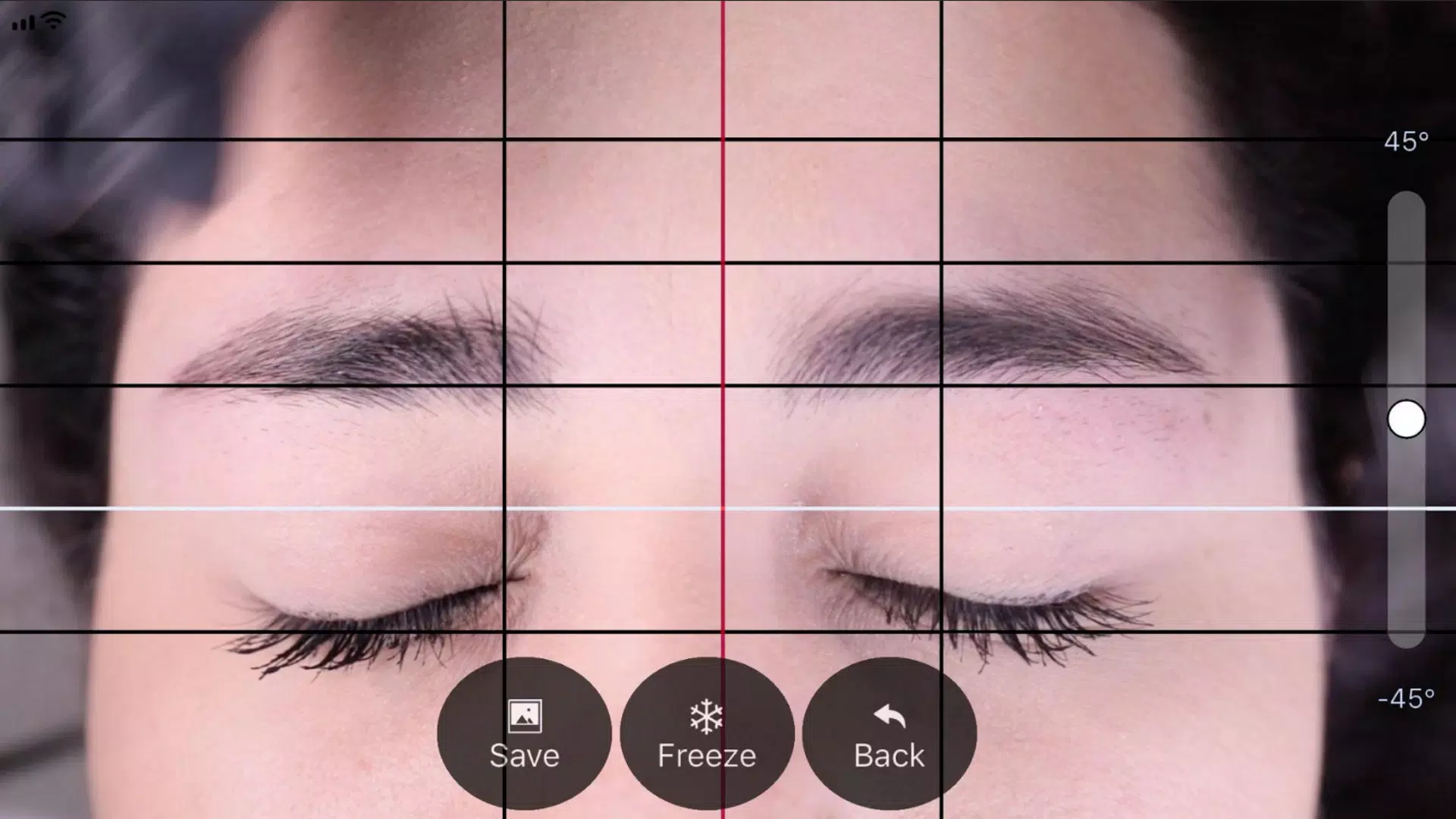
 BeautyPro Symmetry App Interna 類似應用