Age of Empires Mobile is the latest thrilling addition to the iconic strategy game series, offering an immersive experience where you can connect and build unbreakable bonds with friends worldwide. This new mobile edition merges the timeless elements of Age of Empires with innovative gameplay tailored for mobile devices, featuring dynamic real-time controls, breathtaking visuals, and the opportunity to lead historical heroes across expansive battlefields. The game includes strategic resource management, realistic world conquest, and fierce real-time battles, among other exciting features. In this guide, we'll show you how to elevate your gameplay by playing Age of Empires Mobile on your PC or Mac using BlueStacks, ensuring you enjoy enhanced controls, superior graphics, and seamless gameplay for your empire-building and conquests.
Installing Age of Empires Mobile on PC
Go to the game’s page and click on the "Play Age of Empires Mobile on PC" button.
Install and launch BlueStacks.
Sign in to the Google Play Store and install the game.
Start playing!
How to Install Age of Empires on Mac with BlueStacks Air
Download BlueStacks Air: Visit the official BlueStacks website. Click on the "Download BlueStacks Air" button to get the installer.
Install BlueStacks Air: Open the downloaded .dmg file. Drag and drop the BlueStacks icon into your Applications folder.
Launch and Sign-In: Open BlueStacks Air from the Launchpad or Applications folder. Sign in with your Google account to access the Play Store.
Install Age of Empires: Search for Age of Empires in the Play Store and install it.
Enjoy Playing! Launch the game and start your collector’s journey!
For Those Who Already Have BlueStacks Installed
Launch BlueStacks on your PC or Mac.
Search for Age of Empires Mobile on the homescreen search bar.
Click on the relevant result.
Install the game and start playing.
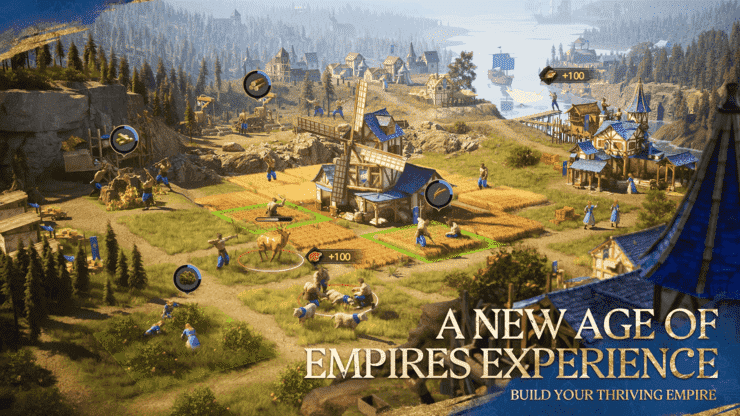
With BlueStacks, you're not merely playing; you're diving deep into the annals of history, leading legendary heroes, and engaging in epic battles with enhanced precision and stunning visuals. Experience the game's high-definition graphics, intricate environments, and the spirit of global alliances in a more immersive and visually spectacular format. Prepare your forces, strategize your conquests, and embark on your quest for glory on an unprecedented scale.

 LATEST ARTICLES