With the Ai viewer app, enjoy the convenience of viewing, saving, and organizing Adobe Illustrator files directly on your Android device. You can preview all pages of .ai files in multiple languages, access Adobe Illustrator shortcuts for both Windows and Mac, save .ai files as .pdf or .png, and use pinch-to-zoom for detailed viewing. Deep-link support and in-app purchases make it easy to access and manage your files anywhere.
Key Features of Ai Viewer
> Preview all .ai file pages: Easily view every page of Adobe Illustrator .ai files on your Android device, letting you explore complete file contents in a mobile-friendly way.
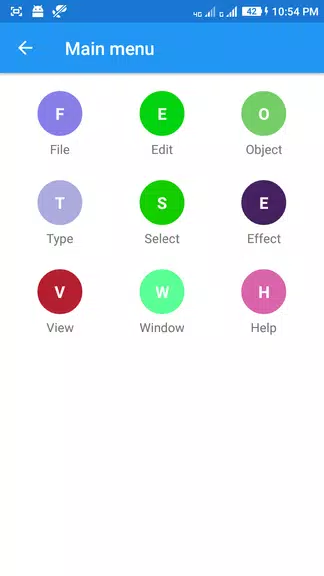
> Adobe Illustrator shortcuts: Get instant access to a full list of helpful shortcuts for both Windows and Mac—streamline your workflow and boost efficiency.
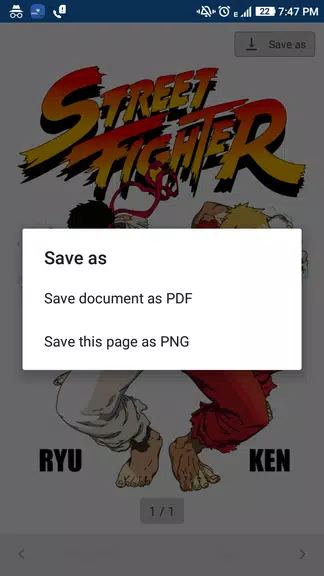
> Save as .pdf or .png: Convert .ai files to .pdf or .png format and save them right to your device—ideal for sharing and distributing your work in widely supported formats.
> List all Adobe Illustrator files: Automatically list every .ai file stored on your mobile for fast access and simple file management inside the app.
User Tips
> Pinch to zoom for detailed viewing: Enlarge .ai file previews with a simple pinch-to-zoom gesture to inspect design details up close.
> Use deep-link support: Open .ai files instantly from email, Google Drive, or local storage using deep links—making file access seamless.
> Utilize in-app purchases: Permanently disable full-page ads through in-app purchases for an uninterrupted, ad-free experience.
Final Thoughts
Ai viewer is a versatile, user-friendly app for previewing, saving, and organizing .ai files on Android. With options to preview all pages, view AI shortcuts, and save files in multiple formats, it’s an essential tool for designers and illustrators. By leveraging its features and following these tips, users can boost productivity and streamline their workflow with Adobe Illustrator files on mobile.



 Download

 Application Description
  Apps like Ai viewer